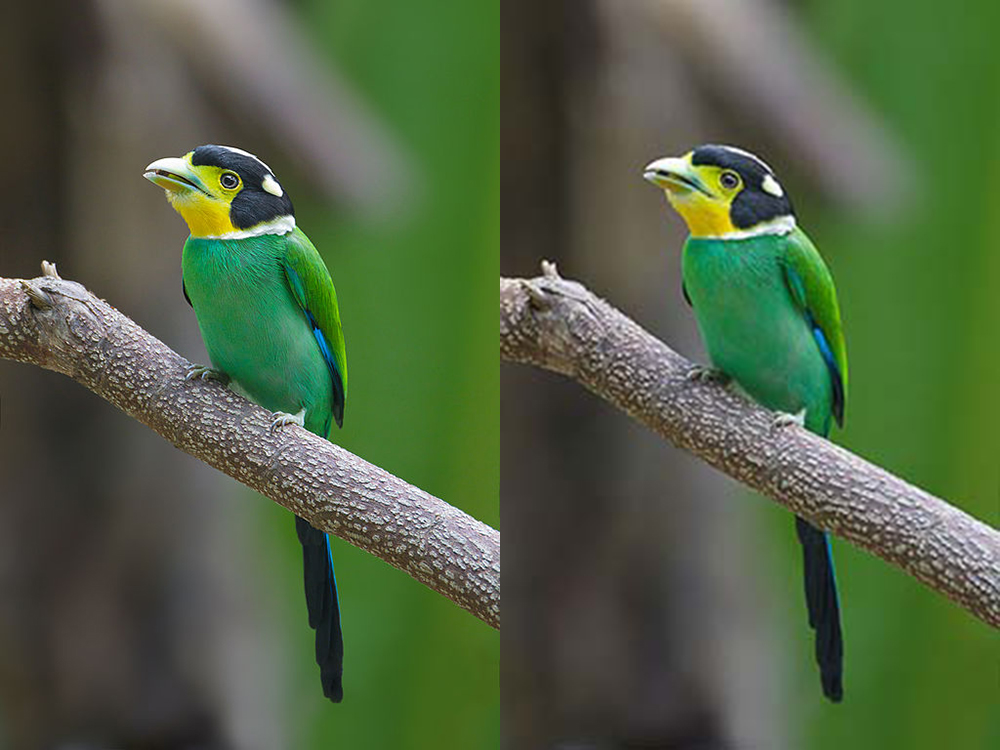
PNG or JPG: Which One Should You Use?

PNG and JPG aren't competing to be "the best format" — they solve different problems, and picking the wrong one isn't a matter of aesthetics, it's a practical mistake: a poorly chosen PNG can end up ten times heavier than it needs to be, and a poorly chosen JPG can blur text or simply fail to support the transparency you needed. The rule for never second-guessing yourself again is simpler than it sounds.
The real difference, in one sentence
JPG compresses "lossily" — it discards information the eye barely notices in order to save weight, and it works great on photographs with smooth color transitions. PNG compresses "losslessly" — the decompressed file is identical, pixel for pixel, to the original, which is perfect for graphics with hard edges (text, icons, logos) but far less efficient on photographs, where it can end up 5 to 10 times heavier than a JPG at visually equivalent quality.
Use JPG when…
- It's a real photograph — of a person, a landscape, a product — with lots of continuous color tones.
- File size matters more than 100% perfect fidelity.
- You don't need transparency — JPG simply doesn't support it.
Use PNG when…
- You need real transparency — a logo over different backgrounds, a product cutout, an icon.
- It's a screenshot, a graphic with text, or straight lines with high contrast — that's where JPG leaves visible artifacts around the edges.
- Exact fidelity matters more than file size — a master file you're going to keep editing, for example.
Still not sure? There's a third option
WebP does both — it supports lossy compression like JPG and transparency like PNG — usually at a smaller final size than either one on its own. If your only question is "which one is smaller without a visible difference," WebP usually beats both. We cover it in more detail, along with AVIF, in thecomplete guide to image formats.
Convert between JPG, PNG, and WebP to compare the real file size with your own image:try it here, in your browser, with nothing uploaded to any server.