SmallAdapt: Resizing One Image for Every Social Network
The same photo almost never works as-is on two social networks at once. What shows in full on an Instagram post gets cut in half on a Story, and that same vertical crop leaves empty margins on a YouTube thumbnail. The problem isn't the photo's quality — it's that every platform expects a different aspect ratio, and until now that meant opening an editor and cropping by hand, network by network, every single time you posted something.
What SmallAdapt does, in one sentence
SmallAdapt takes one image and generates, all at once, the cropped versions each network asks for — square post, vertical story, video thumbnail, profile cover — without you having to calculate ratios or crop anything by hand. You upload a photo, pick the platforms, and download each format already sized to the exact dimensions that network expects.
It's the same idea we already covered in our article on image sizes for social media— every platform has its own dimensions, and changes them from time to time — except instead of you checking the table and cropping it yourself, the tool does the math and the cropping for you.
Why automatic cropping isn't as simple as "stretching the image"
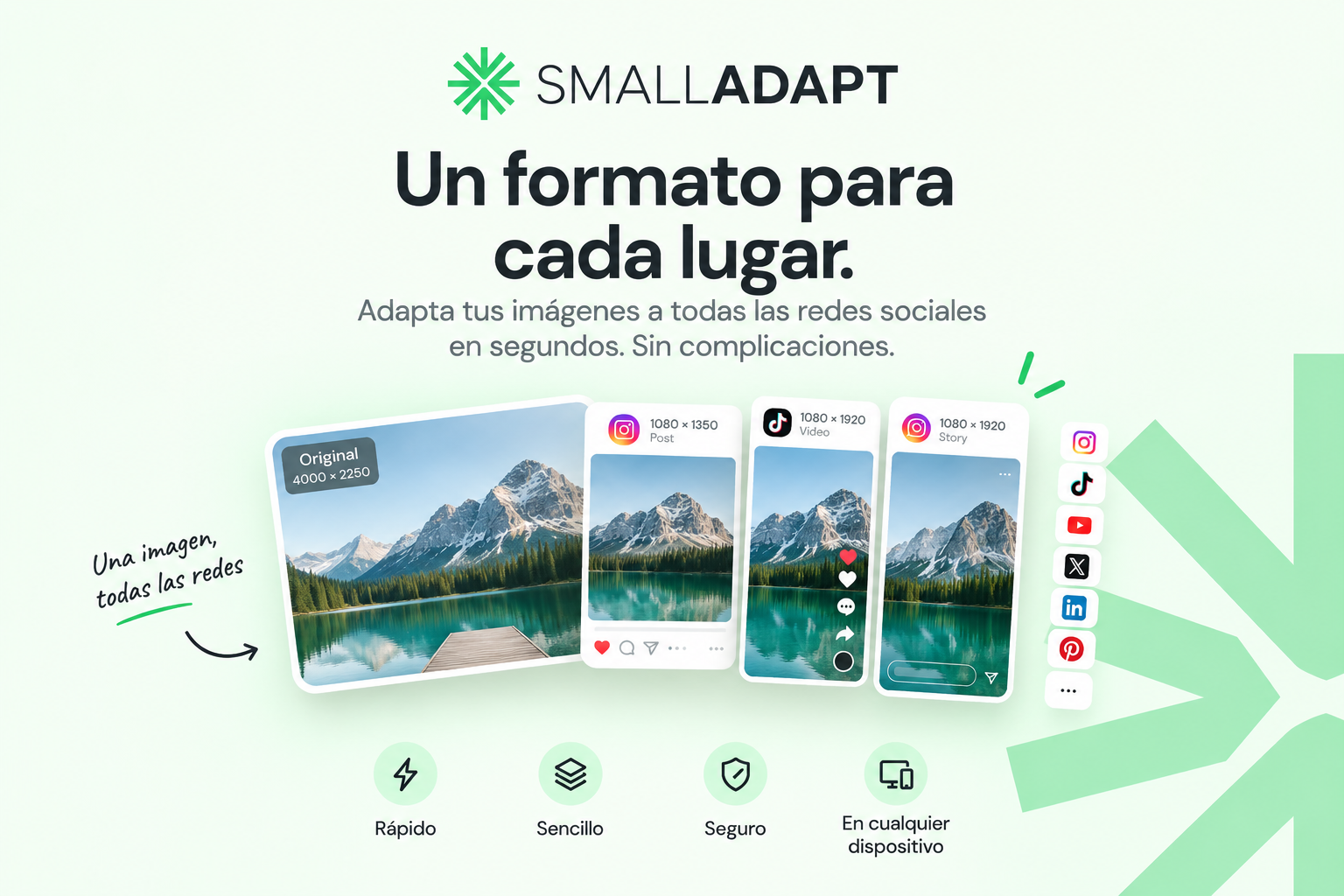
The most common mistake when adapting an image by hand is stretching it or padding it with black bars to "fit" the ratio a network demands. Neither approach looks good: stretching distorts faces and objects, and black bars eat up useful space in a feed where every millimeter counts. What actually works is smart cropping that prioritizes the photo's focal point — exactly what you see in the image above: the same mountain and the same lake, cropped differently for the square post, the vertical story, and the video thumbnail, without losing what matters in the composition in any of the three.
The same privacy promise as the rest of the SMALL tools
SmallAdapt processes the image right in your own browser, just like SMALLIMG — there's no upload to a server and no account to create. For product photos, internal screenshots, or any image you don't want passing through a third-party server, that's not a minor detail: it's the difference between a "free" converter that actually keeps copies of what you upload, and a tool that genuinely stays on your device only.
When it's useful
- You post the same photo across several networks. Instead of manually cropping for each one, you generate every format at once.
- You manage content for a brand or client. You don't need to memorize or look up each platform's dimensions every time.
- You're preparing a video thumbnail. YouTube's horizontal crop calls for a different focal point than a square post, and that's exactly where a bad manual crop shows the most.
If you also need to compress those images so they weigh less — something we cover in detail in the article on how to post on social media without losing quality — the two tools complement each other well: adapt the format in SmallAdapt, compress the file size here in SMALLIMG.
Try SmallAdapt with your own photo: smalladapt.com, right in your browser, with nothing uploaded to any server.